Overview
A Post-Call Survey is a feedback Workflow used immediately after a customer service or support call to gather insights about the caller's experience. It typically consists of a short set of questions designed to evaluate:
-
Customer satisfaction with the interaction
-
Agent performance (e.g., professionalism, helpfulness, knowledge)
-
Resolution effectiveness (whether the issue was resolved)
-
Overall experience with the service or company
The data collected helps organisations improve service quality, identify training needs, and monitor customer sentiment over time.
1. Prerequisites
Before building a call flow for a Post-Call Survey, several prerequisites should be in place to ensure the survey is effective, technically feasible, and aligned with business goals.
Operational
-
Survey Objectives
-
Define what you want to measure (e.g., customer satisfaction, agent performance, issue resolution).
-
Align questions with KPIs or service goals.
-
-
Question Set
-
Prepare concise, clear, and relevant questions.
-
Limit to 3–5 questions to avoid survey fatigue.
-
Know the Values you wish to obtain (e.g. 1 for Yes, 2 for No, a Scale from 1 to 5 or 1 to 10 or a Verbal Feedback option)
-
-
Routing Logic
-
Determine when and how customers are invited to participate (e.g., only after resolved calls, random sampling).
-
Include fallback paths if the customer opts out.
-
Compliance
-
Consent Management
-
Ensure customers are informed and consent to participate.
-
Include opt-out options.
-
-
Data Handling Policies
-
Confirm that survey data storage complies with privacy regulations (e.g., GDPR, Australian Privacy Act).
-
2. Creating a Post Call Survey
Resources
Before creating the Workflow that will be used to ask your survey questions and obtain your call results, we need to create all the resources. Below is a list of resources that may or may not be required.
Email Templates
If you have included a verbal feedback question in your survey, you can have the feedback emailed using the Capture Voice Workflow Object settings. Below is a sample of an Email Template that could be used:
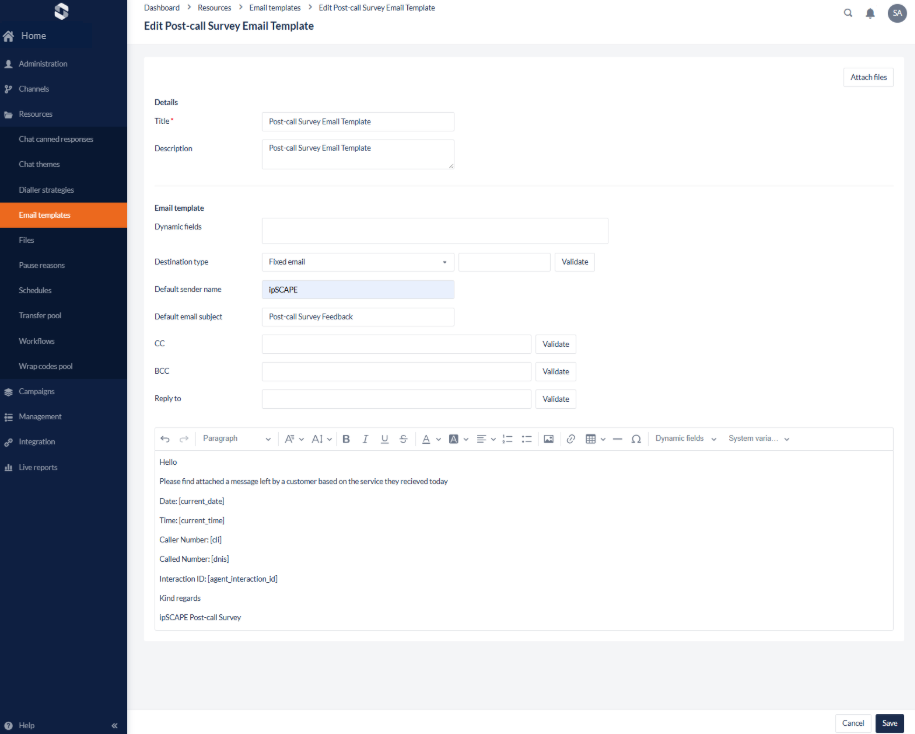
There are System Variables that can be used to provide specific information on the email template. see below the body of the email in text:
Hello

Please find attached a message left by a customer based on the service they recieved today

Date: [current_date]

Time: [current_time]

Caller Number: [cli]

Called Number: [dnis]

Interaction ID: [agent_interaction_id]
Workflow Objects
There are some Workflow Objects used in a Post-call survey. See them listed below and their function:
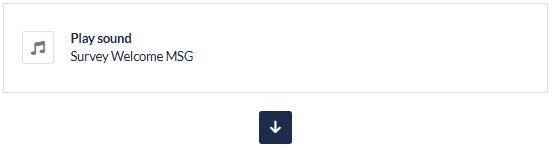
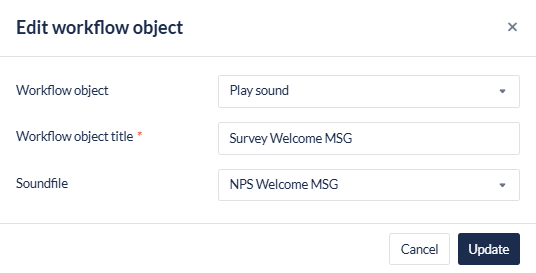
Play Sound
The Play Sound objects will be used to play an introduction sound file, an error handling message and an ending message.
Capture Digits
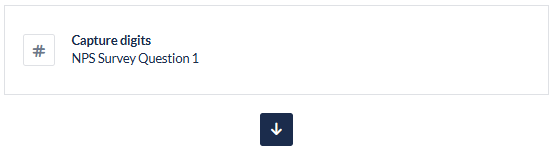
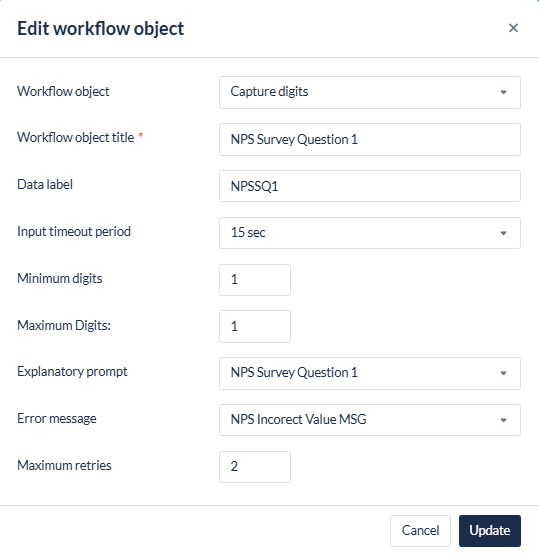
The Capture Digits object will be used to play the survey questions, obtain the value of the survey question and also play the error handling message. This object will also have a Data Label.
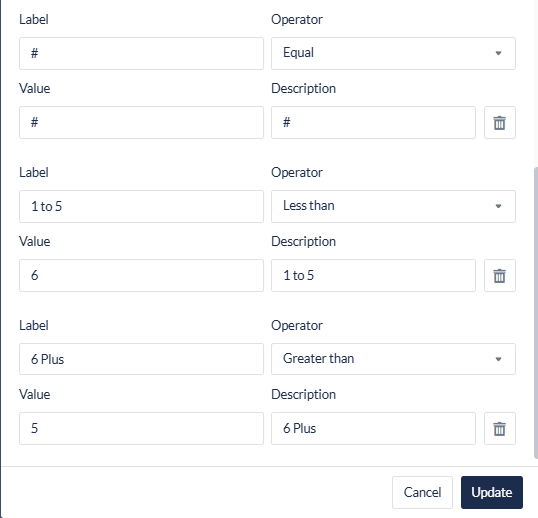
Branch on Value
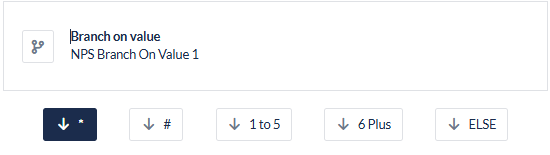
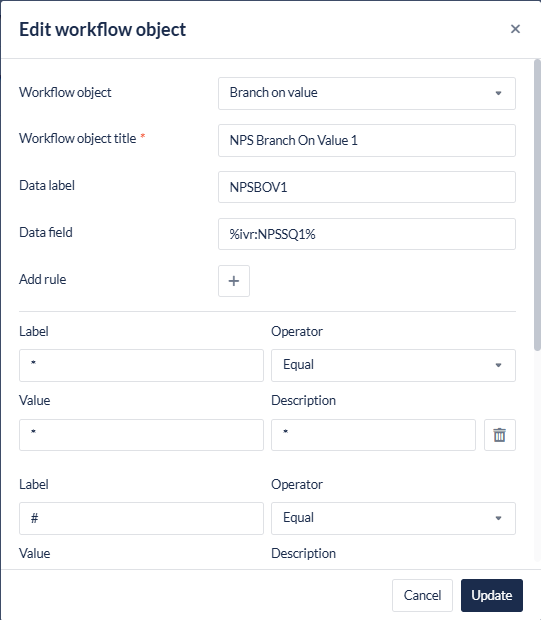
The Branch on Value (BoV) object will be used to filter the value provided in the Capture Digits object to ensure the value is correct and follows the correct path of questioning.
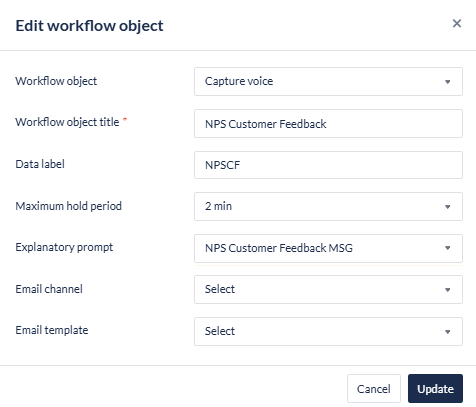
Capture Voice
The Capture Voice object will be used to capture any verbal feedback the client wants to provide. The feedback can then be emailed by including an Email Channel and Email Template.
Design
The design of a Post-Call Survey depends on the number of questions you want to ask, and the complexity of the call routing. Below are a few scenarios and designs you can reference when building your own.
Simple
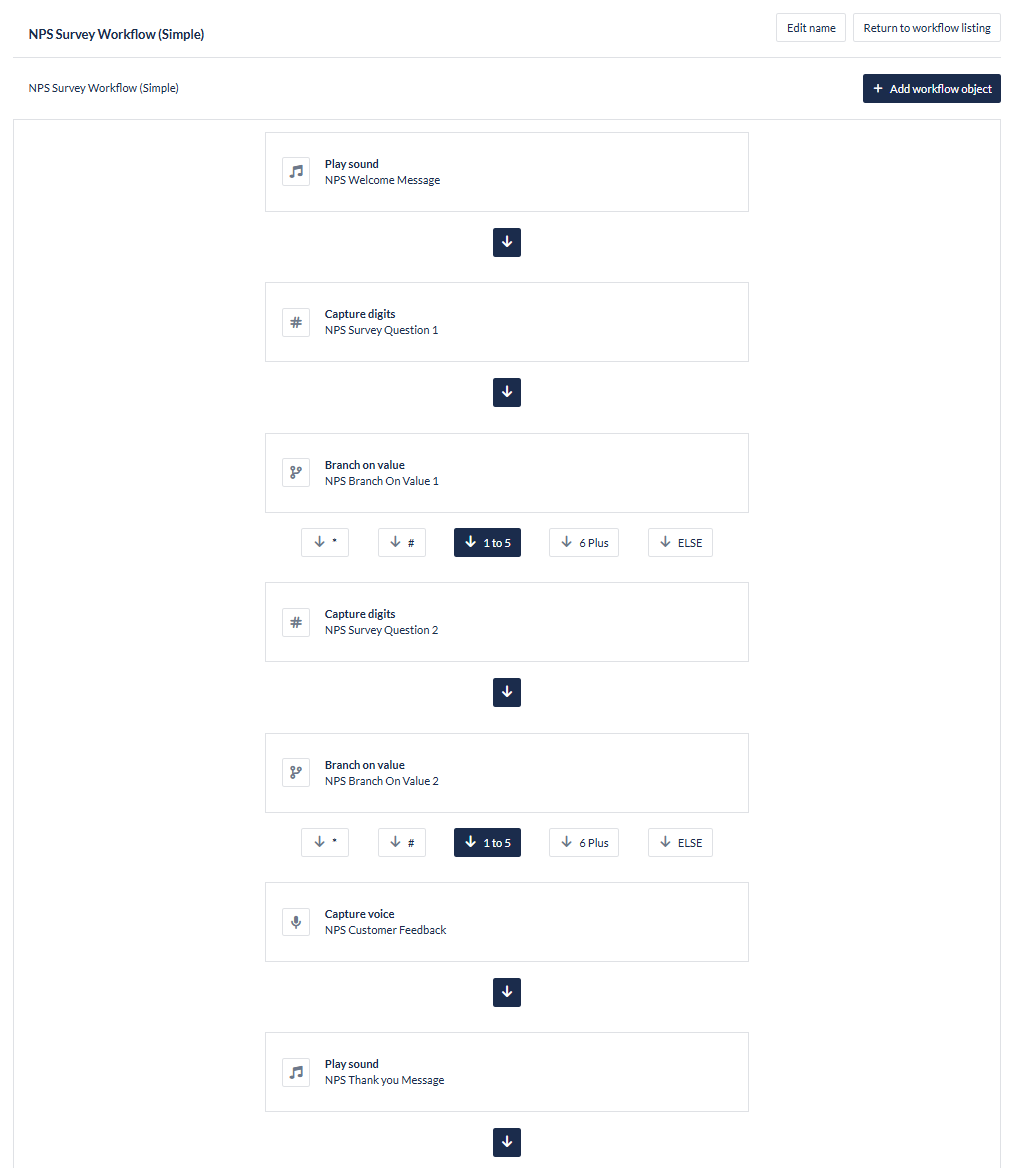
The below “NPS Survey Workflow” includes 2 questions and 1 customer feedback question:
-
The “Play Sound” objects are covering the welcome and thank you messages.
-
The “Capture Digits” objects are conveying the questions and obtaining the values from the caller.
-
The “Branch on Value” objects are reviewing the value provided by the caller to ensure it is correct
-
The “Capture Voice” object is capturing a recording of the Customer Feedback.
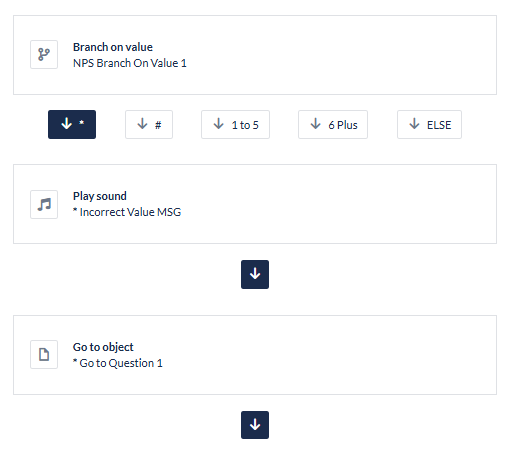
Under each of the “Branch on Value” results that are not within the 1 to 5 value range is the following flow:
-
The “Play Sound” object play the Incorrect Value message
-
The “Go To Object” object is returning the call to “NPS Survey Question 1”
Multi Path
Implementing a multipath question depends on the way you build the “Branch on Value” object. The “Branch on Value” object will read each entry from the first rule entered to the last.
In the example below, the first entries are to identify * and #, the next three rules are in a specific order to read values of ‘1 to 2’, then “3 to 5” and “6 and above”.
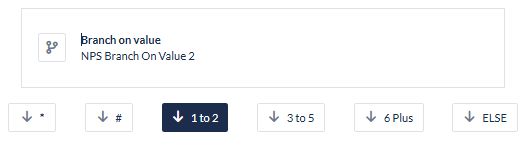
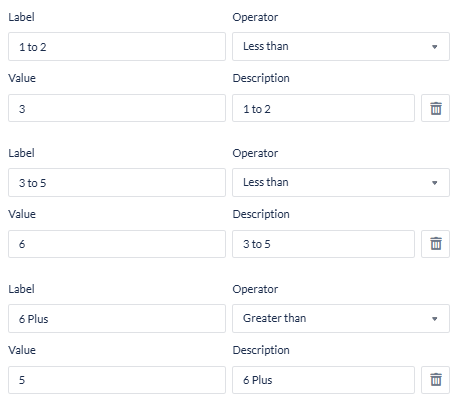
You can use a range from 1 to 10 in the same manner; however, be sure to implement the rules from the lowest value to the highest value.
Another important detail in these objects is the Data Label which is the unique identifier of both the “Capture Digits” and “Branch On Value” objects. In this situation, if you are asking question 3, both paths under “1 to 2” and “3 to 5” will have a question 3, so it may be best to identify them with an A and B in the Data Label. e.g. NPSSQ3A & NPSSQ3B.
3. Apply Survey to a Campaign
To enable the Post Call Survey workflow:
-
Navigate to the campaign to apply the survey to
-
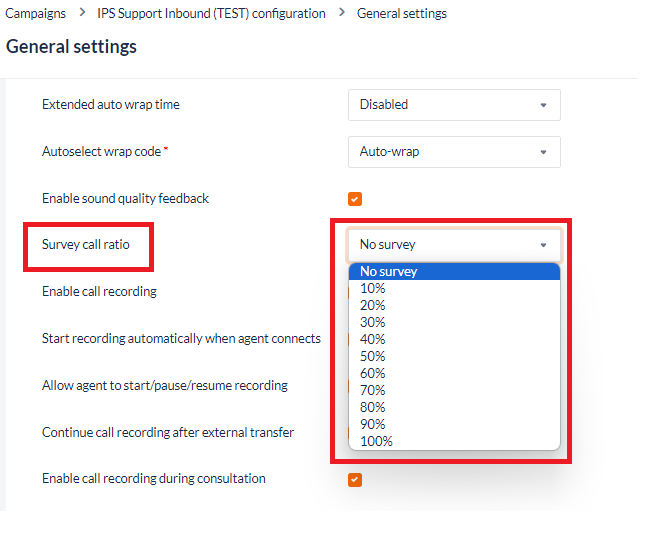
Set the Survey call ratio from the drop down - the ratio defines the proportion of calls which will be presented a survey at the conclusion of a call:
-
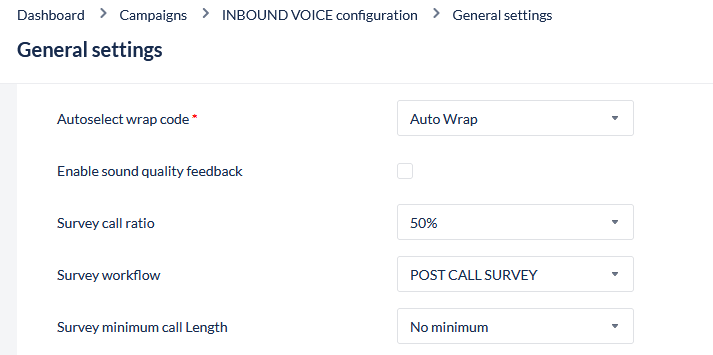
Once a ratio is selected, the User will be presented configuration options:
|
Field |
Description |
|---|---|
|
Survey workflow |
Select the post call survey workflow to be used for this campaign |
|
Survey minimum call length |
Minimum length of the call required for a survey to be presented. Select from:
|
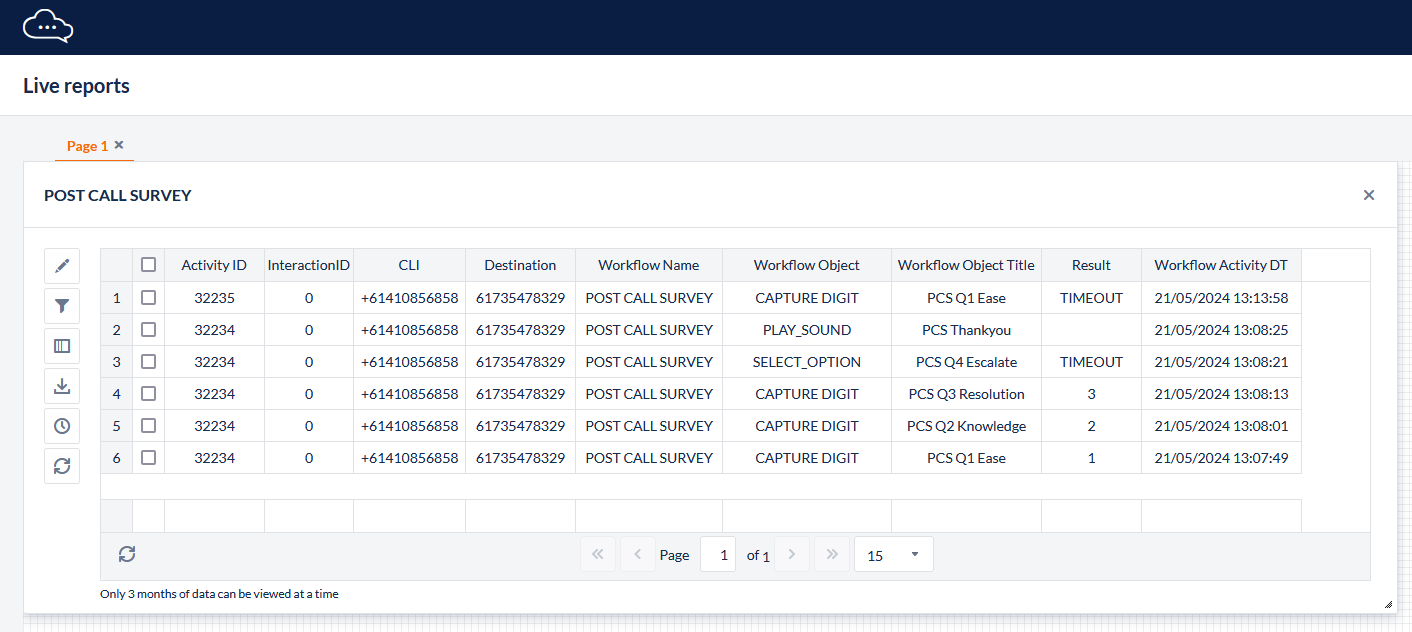
4. Post Call Survey Reporting
To report on Post Call Survey results:
-
Navigate to Live Reports
-
Create a new report:
-
Dataset: Workflow Activities
-
Grouping: None (full details, with result)
-
-
Filters:
-
Workflow - Select the Post Call Survey(s) to display
-
Date/Time - Select the time range to report on
-
-
The Activity ID can be used to identify and link results from a single contact and used to find the associated call in the Activities report
-
The Result field will indicate the input submitted by the contact