Overview
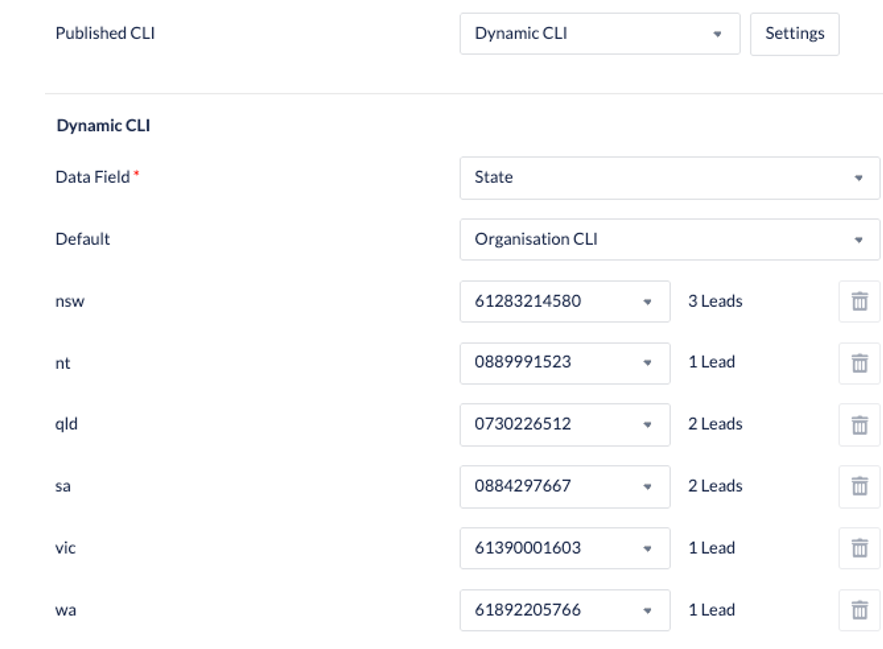
In an outbound campaign, you can dynamically change the CLI that is sent based on the match to a particular data-field
-
Select Campaigns –> Configuration – edit an outbound campaign
-
Edit General settings
-
Select the dropdown menu next to Published CLI & select Dynamic CLI

-
Select the Data Field that you wish to use to assign CLI numbers
-
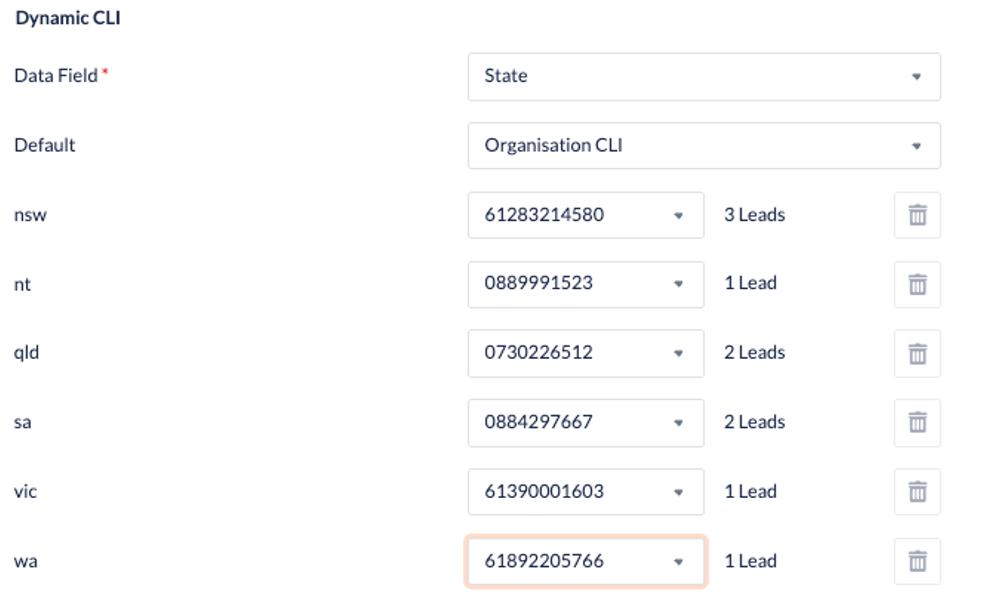
The example below is using the data field State
-
When the data field is selected, the values presented will reflect the number of leads that have that data field
-
Only DNIS numbers that have Use as CLI selected will appear in the dropdown list
-
Select Save when all numbers are assigned
-
The default number will be assigned to any data fields
-
If you wish to modify in future, select Settings to display the Dynamic CLI screen, make your changes & select Save