
Overview
Leverage the power of generative AI to reduce administration and easily gain insight into customer interactions through Call Transcription and Call Summaries.
You can easily implement call transcription and call summaries in the IPscape platform, by enabling these options in the ‘Campaigns’ module in the Workspace.
Enable Call Recording must be enabled on the Inbound/Outbound Campaign before the Transcription and Summary options can be enabled.
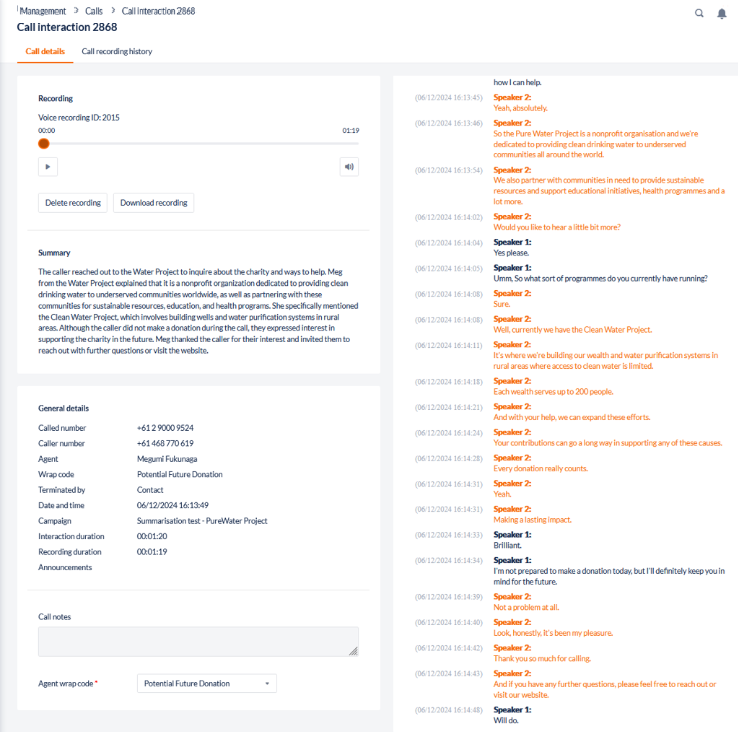
When enabled, an Agents' calls will be automatically transcribed and summarised with the results displayed in the ‘Calls’ module within minutes of a call completing.
-
If the setting ‘Enable call recording during consultation’ between agents is enabled in a Campaign, the internal conversation between Agents will also be transcribed and summarised.
-
If a Campaign is duplicated (a clone of an existing campaign) which has call transcription enabled, the new Campaign will have Call Transcription enabled. If Summaries are also enabled in the existing campaign, this setting will be enabled in the duplicated campaign.
Transcribe multiple calls in the calls module
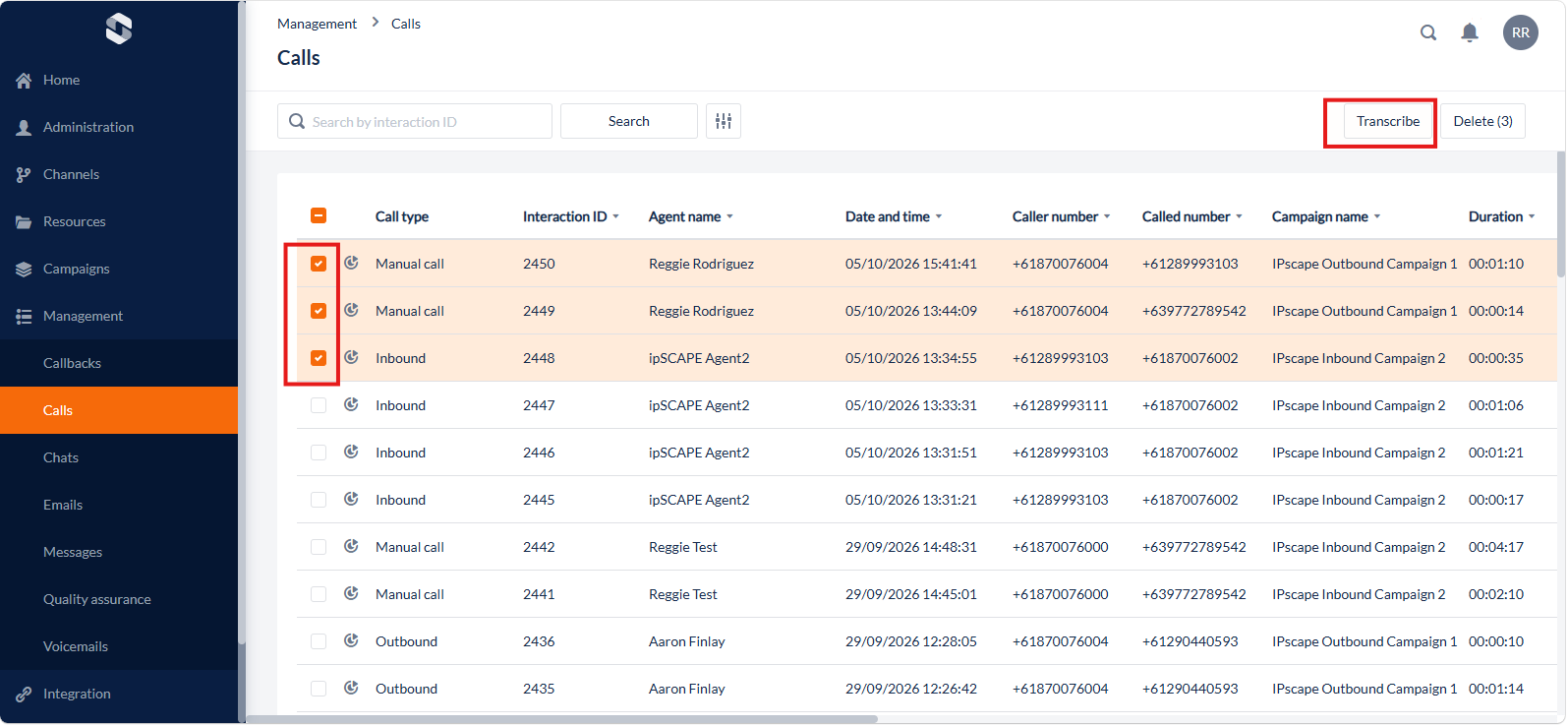
To transcribe multiple calls:
-
Go to Management > Calls.
-
Select multiple calls by clicking the checkboxes on the left side of the call recordings.
-
Click the Transcribe button in the upper-right corner of the Calls module.
Disclaimer of Liability for AI Summarisation and Transcription
IPscape provides AI-generated summarisation and transcription services for convenience and informational purposes only.
While IPscape strives for high levels of accuracy, the output generated by these services may contain errors, omissions, or inaccuracies.
By using these services, the User acknowledges and agrees that IPscape shall not be held responsible for any inaccuracies, errors, or reliance on the content generated by the AI.
It is the sole responsibility of the User to verify and validate the results for your specific use case before making any decisions or taking action based on the AI-generated output.
For more information on the IPscape Terms and Conditions, please see: https://ipscape.com/terms-and-conditions/