Overview
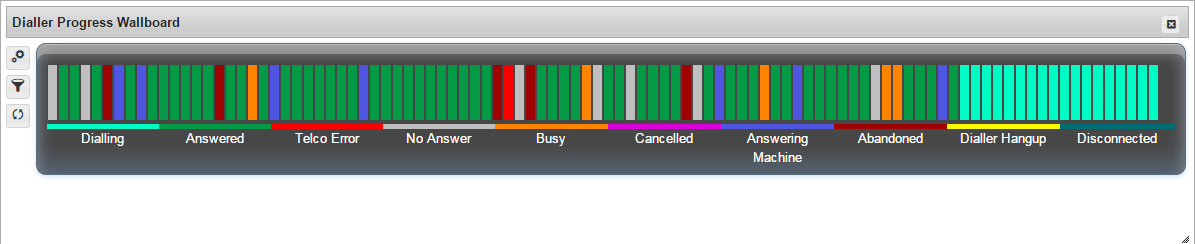
This is a proprietary report that presents a visual representation of the current or final status of the most recent 100 dial attempts made. The rightmost bar represents the status of the most recent dial attempt.
Where to find this template
See Add a Report to your report page for instructions on accessing this report.
About a report based on this template
Filtering is available by:
|
Filter |
Recommendation |
|---|---|
|
Campaign |
There is no default filter set on this field |
The statuses included in the report by default are:
|
Field |
Description |
|
|---|---|---|
|
Dialling |
This status applies while the dialler is actively dialling a number |

|
|
Answered |
This status applies when a call is answered by a human |

|
|
Telco Error |
This status applies when the Telco advises an error has occurred |

|
|
No Answer |
This status applies when a call attempt has lasted longer than 20 secs |

|
|
Busy |
This status applies when the busy signal is detected |

|
|
Cancelled |
This status applies when an agent cancels a manual call |

|
|
Abandoned |
This status applies when the dialler abandons a call that has been answered because there is no available agent |

|
|
Answering Machine |
This status applies when a call is answered by an answering machine |

|
|
Dialler Hang Up |
This status applies when the dialler hangs up after the call has been answered because the assigned agent is no longer available |

|
|
Disconnected |
This status applies when the line disconnected signal is detected |

|