
Overview
IPscape offers numerous options for connectivity to establish a voice path for an agent.
Modernise your contact centre with IPscape’s Web Connect which facilitates calls directly through the web browser without the need for a soft-phone, desk phone, or plug-ins.
Web Connect can be used to login for all instances of IPscape through the Agent toolbar or through your CRM using the CTI adaptor.
1. Requirements
-
Mozilla Firefox, Google Chrome, and Microsoft Edge Browsers (latest 3 versions)
-
100kbps bandwidth per connected workstation. To check your network, click here to run a speed test for your current device or workstation.
2. Receiving Inbound Calls on a Non-Persistent Connection
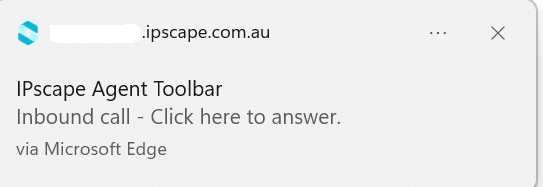
A call will be heard through your computer (please check your volume settings) and you will receive an Inbound Call notification as a pop-up in your browser.
-
Click once on the notification to Answer

-
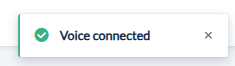
The call will connect, and a toaster notification saying “Voice Connected” will appear on the screen.
3. Using the Number Pad to send DTMF tones
-
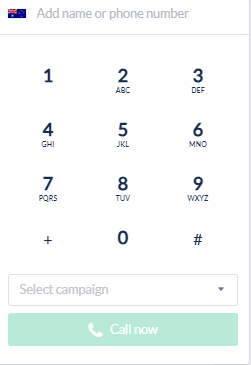
Select the number pad icon on the right of the Enter phone number input, enter the number, select a campaign, and click Call now
Web Connect Troubleshooting
-
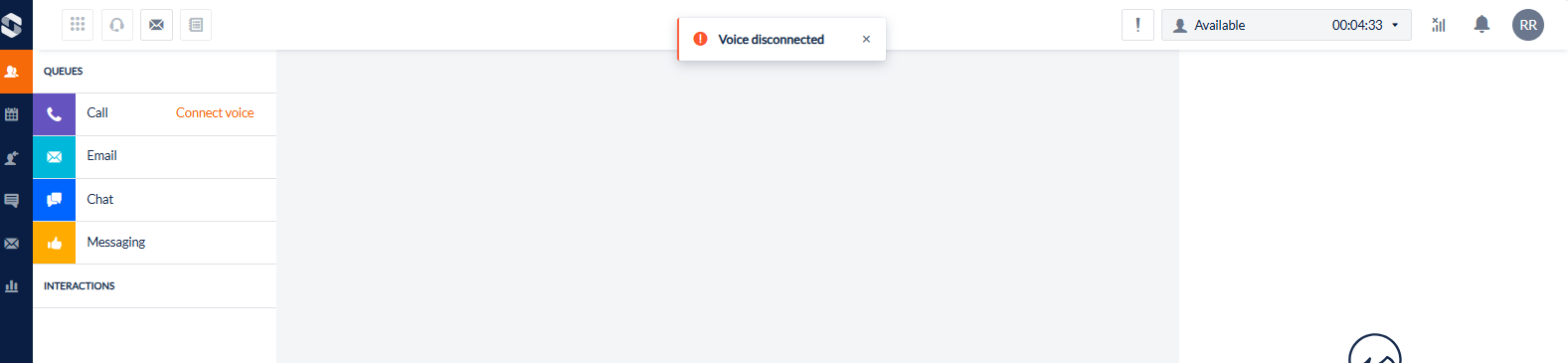
If the voice path has been lost a Voice Disconnected alert will display briefly at the top of the toolbar and Connect Voice will appear in orange next to the voice queue.
-
To re-establish the voice path, click Connect Voice and connect by your preferred connection mode
Capture browser network logs
Generating a HAR (HTTP Archive) file can help analyze and troubleshoot web performance issues.
HAR (HTTP Archive) files are a JSON formatted archive file of a web browser’s interaction with a web application. HAR files provide a detailed snapshot of every request, including headers, cookies, and other types of data sent to a web server by the browser. This makes them an invaluable resource to troubleshoot web application issues especially for complex, layered web applications.
HAR files contain:
-
Complete Request and Response Headers: Every piece of data sent and received, including method types (GET, POST, etc.), status codes, URLs, cookies, and more.
-
Payload Content: Details of what was exchanged between the client (User) and server, which can be essential for diagnosing issues related to data submission or retrieval.
-
Timing Information: Precise timing breakdowns of each phase – from DNS lookup, connection time, SSL handshake, to content download – giving insight into performance bottlenecks.
Microsoft Edge
See detailed instructions in Inspect network activity in Microsoft Edge DevTools on the Microsoft website.
-
From the Web Connect tab, open the Developer Tools using one of the methods below
-
From the menu (Menu > More Tools > Developer tools)
-
By pressing
Ctrl + Shift + " I " -
Right-click on the page and select
Inspect.
-
-
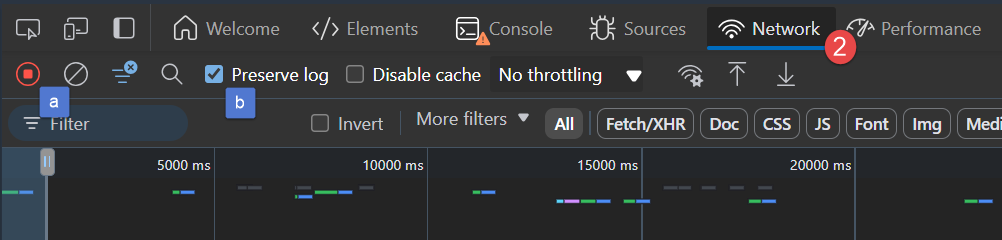
Open the Network tab.
-
Look for a round button at the top left of the Network tab. Make sure it's red. If it's grey, click it once to start recording.
-
Turn on "Preserve log"
-
-
Reload the page to start recording the network requests and reproduce the issue.
-
Save the capture by the export icon (down arrow) ****

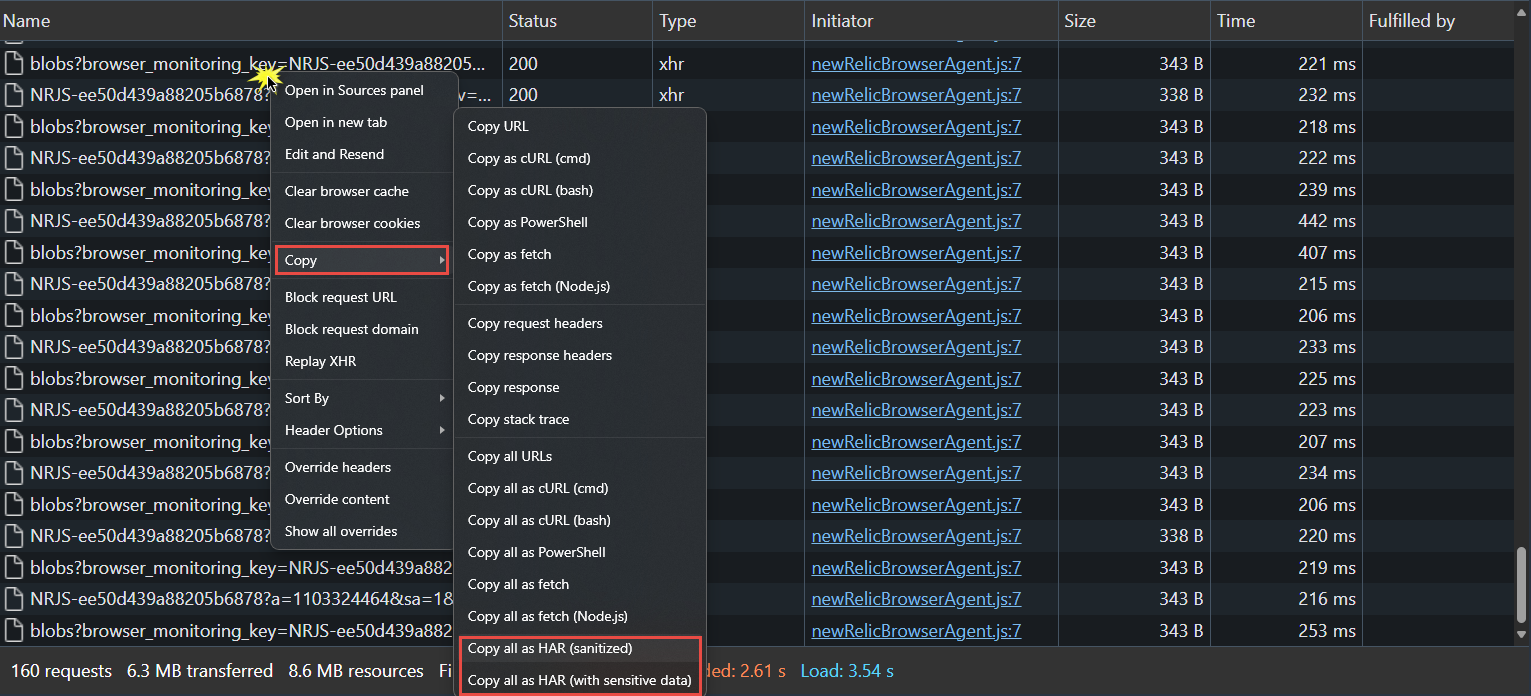
There is a known issue with the export in this method where it will produce a blank file (eg, file size is 0KB). If this happens, please see below for workaround
-
Save the capture by right-clicking on an item in the grid and selecting ‘Copy all as HAR… (choose from either sanitised or with all data)’
-
Copy this to Notepad or Word and save the file to share with ipSCAPE support.
Google Chrome
-
From the Web Connect tab, open the Developer Tools using one of the methods below
-
From the menu (Menu > More Tools > Developer tools)
-
By pressing
Ctrl + Shift + " I " -
Right-click on the page and select
Inspect.
-
-
Open the Network tab.
-
Look for a round button at the top left of the Network tab. Make sure it's red. If it's grey, click it once to start recording.
-
Turn on "Preserve log"

-
-
Reload the page to start recording the network requests and reproduce the issue.
-
Save the HAR File:
-
Save the capture by the export icon

-
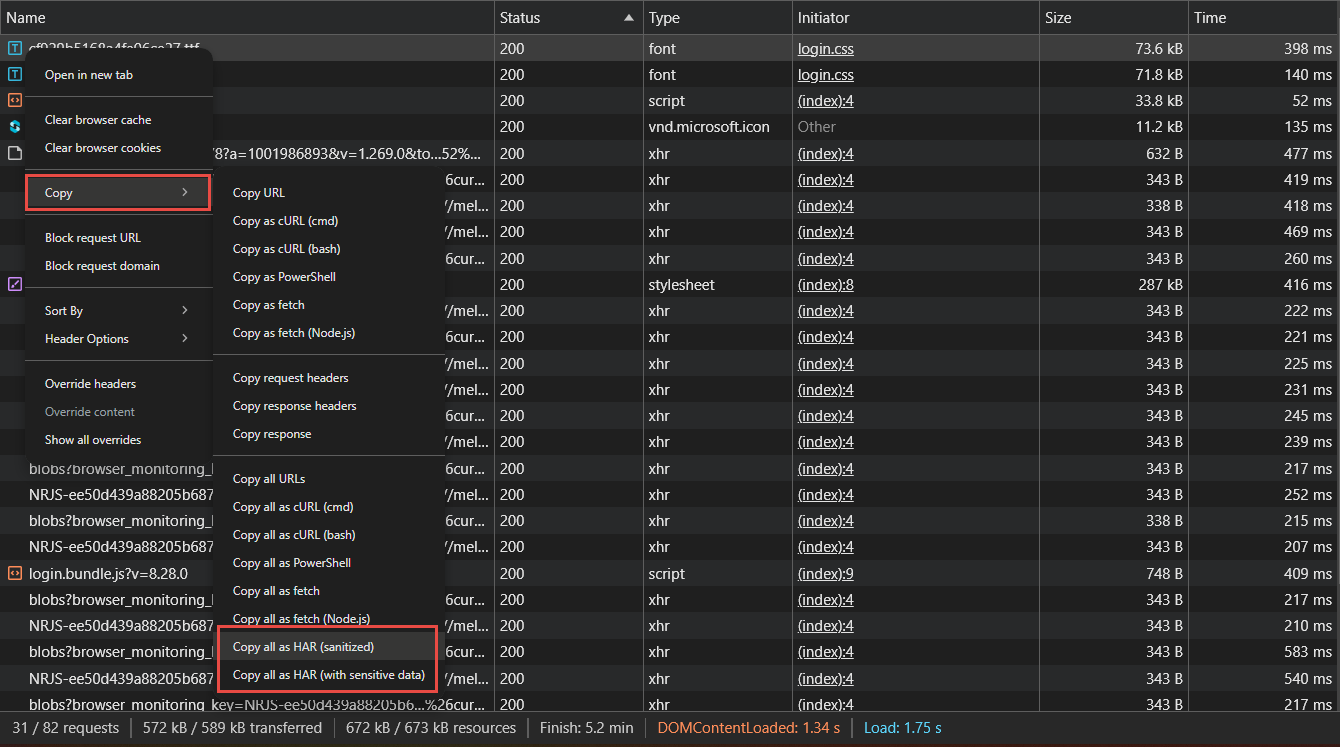
Right-click on any network request and select “Copy > Copy all as HAR… (choose from either sanitised or with all data)”.
-
-
Save the copied information to Notepad or Word to share with ipSCAPE support.